
🎨 Page Design
🧪 User Testing
📊 Data Synthesis
🔨 Workshops
Overview
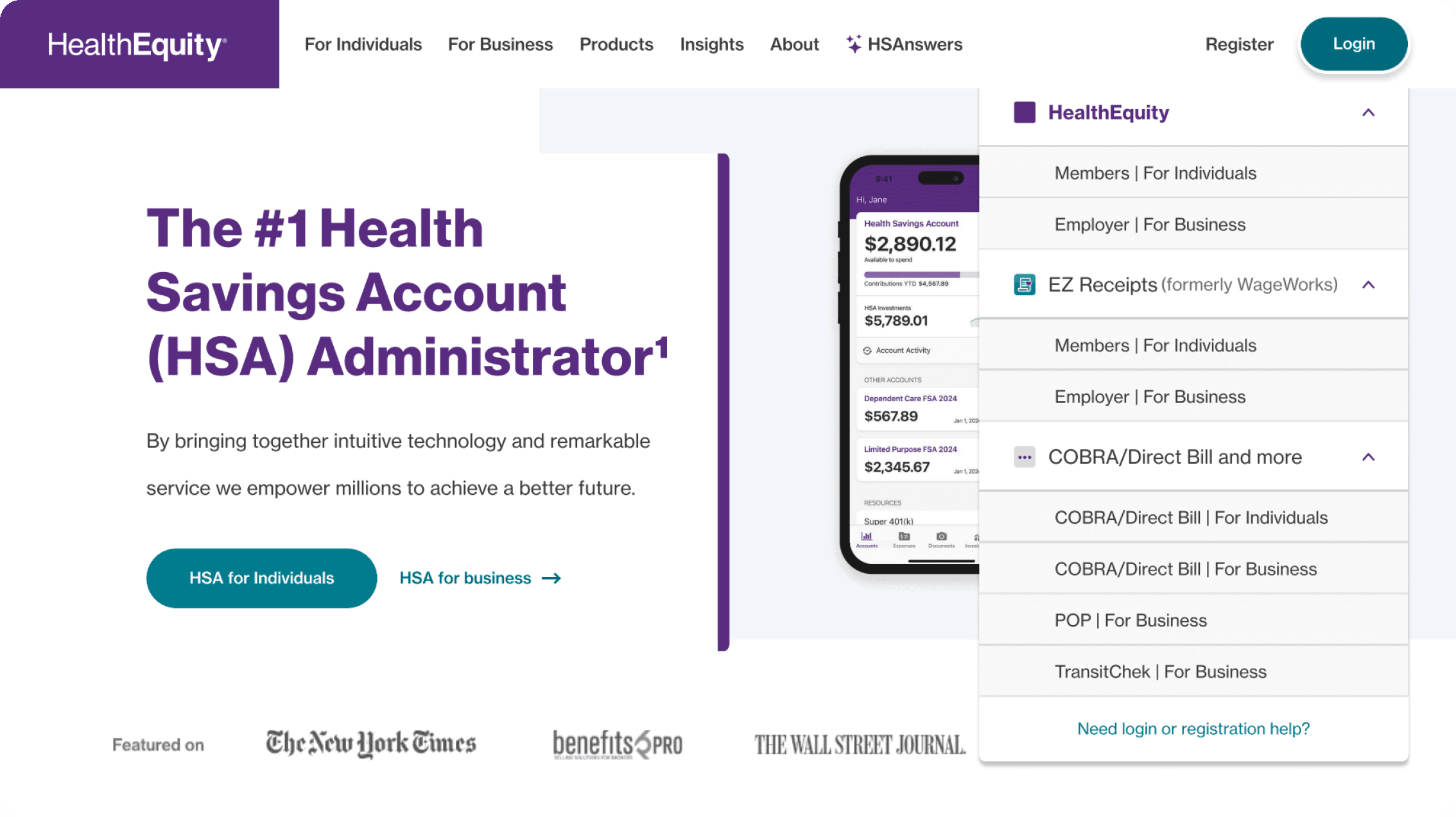
I helped redesign key login and account setup entry points, using workshops and two rounds of testing to clarify paths between the primary and rebranded account experiences.
Impact
95%
71%
The Problem: Multiple Account Experiences, One User Mental Model
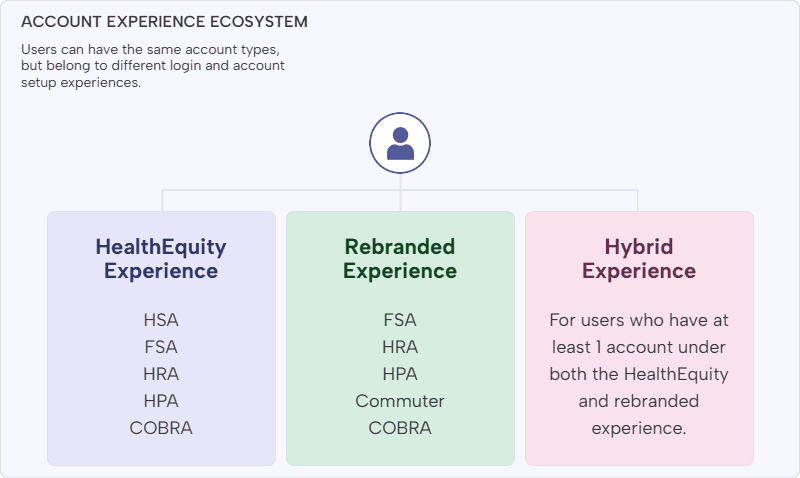
HealthEquity users could access similar account types through different experiences depending on how their account was created: individually, through an employer, through a government program, or through an integrated partner platform.
That created a difficult login and account setup problem. Two users with the same type of health savings account could still need different account experiences, and many users did not know which experience applied to them.
A unified login would have been the cleanest long-term solution, but it was not available for several years. That shifted the design challenge from “combine the systems” to “help users choose the right path with clearer guidance, labels, and routing.”
Strategy: Defining a North Star
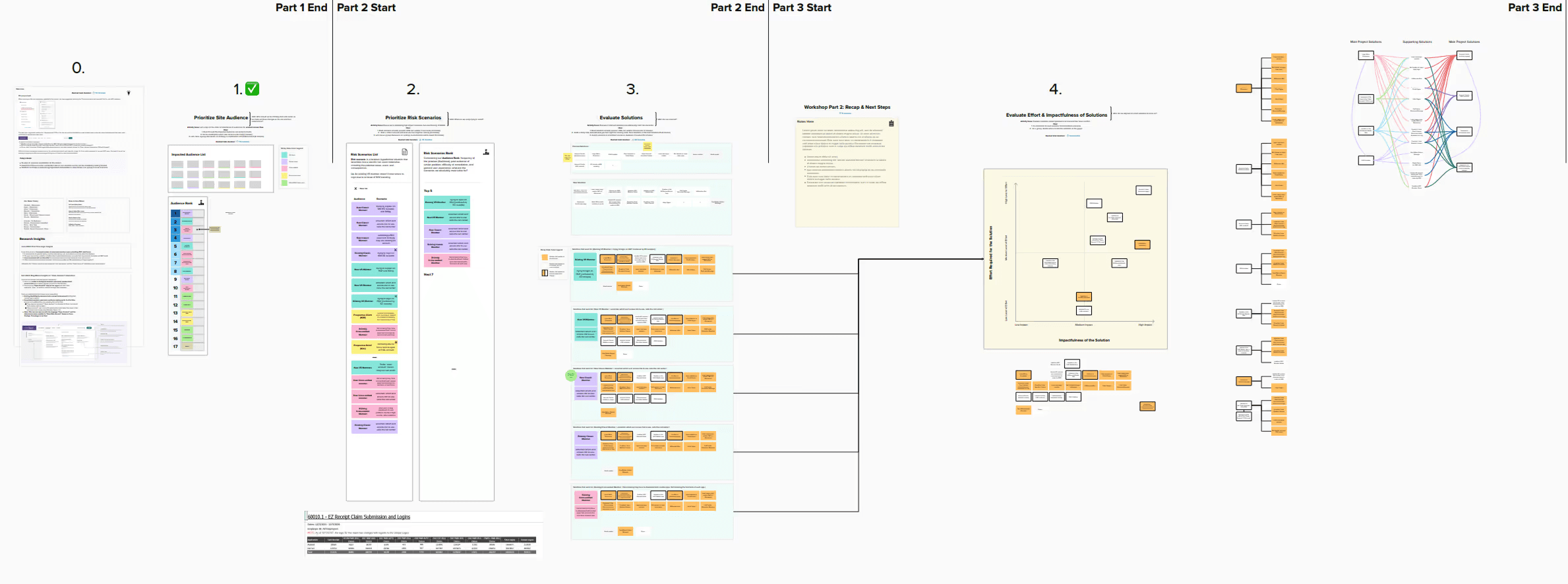
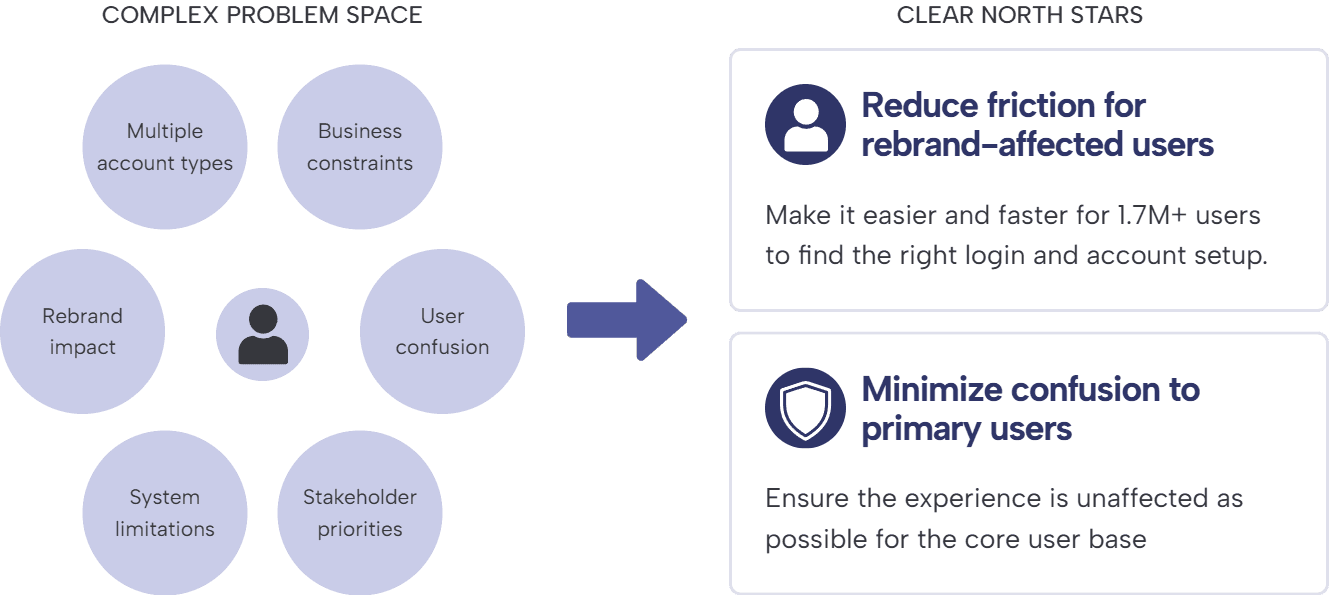
Because the project could affect nearly all users in some way, alignment was critical. I led a multistep workshop in Mural to help stakeholders understand the problem space, identify priorities, and agree on a focused north star:
Reduce friction for users directly affected by the acquisition and rebrand, while minimizing confusion and disruption for primary HealthEquity users.
To keep the project organized across multiple phases, testing plans, stakeholder roles, and weekly check-ins, I also created and maintained a master project document that served as the source of truth throughout the engagement.
Workshop Reference
Design Scope: Three Touchpoints to Clarify the Path
To guide users toward the right experience, I focused the design work on three high-impact touchpoints:
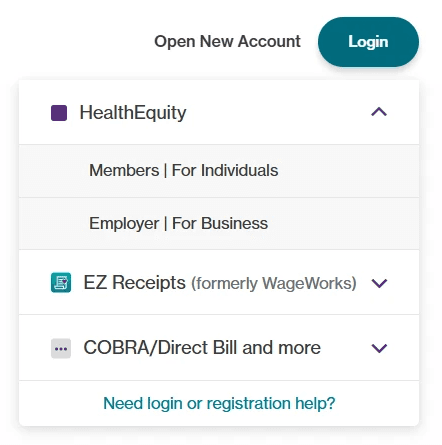
Login dropdown: Updated to account for the rebranded experience and help users choose the right login path.
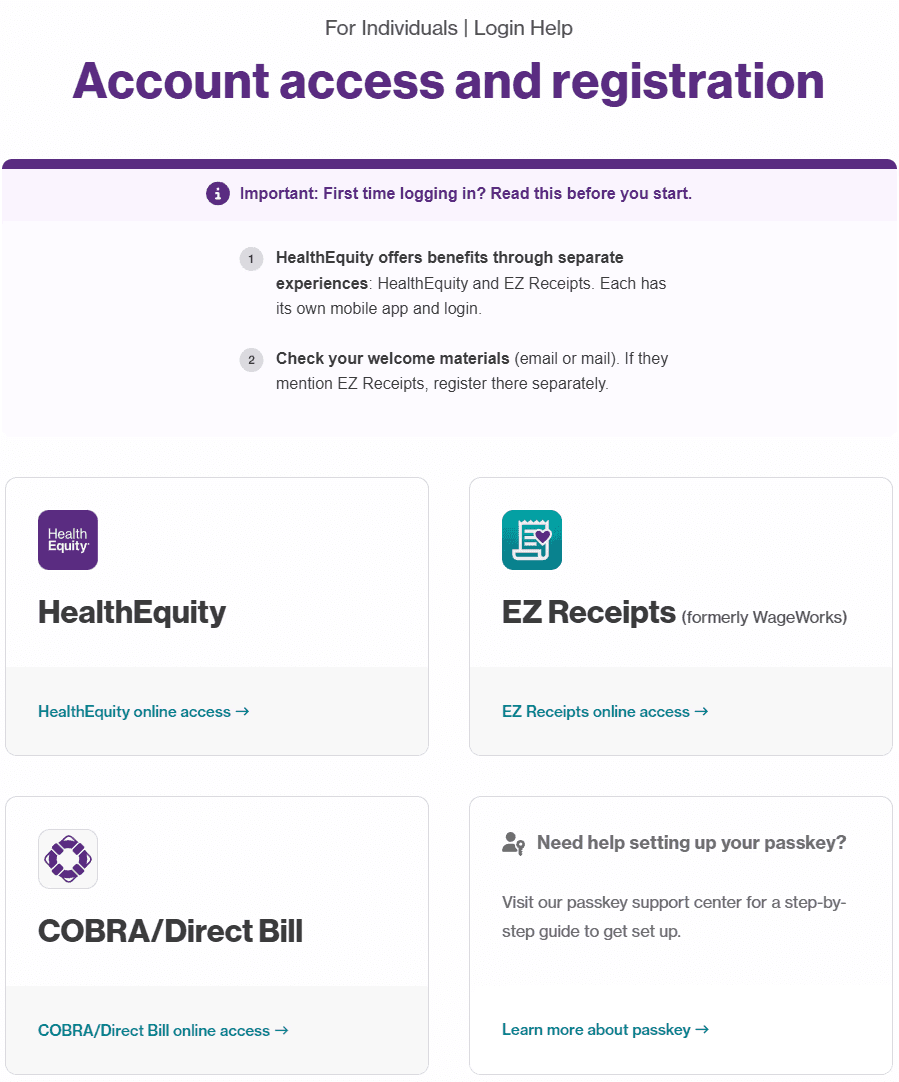
Account Center page: A new page created to direct users to the appropriate account setup experience.
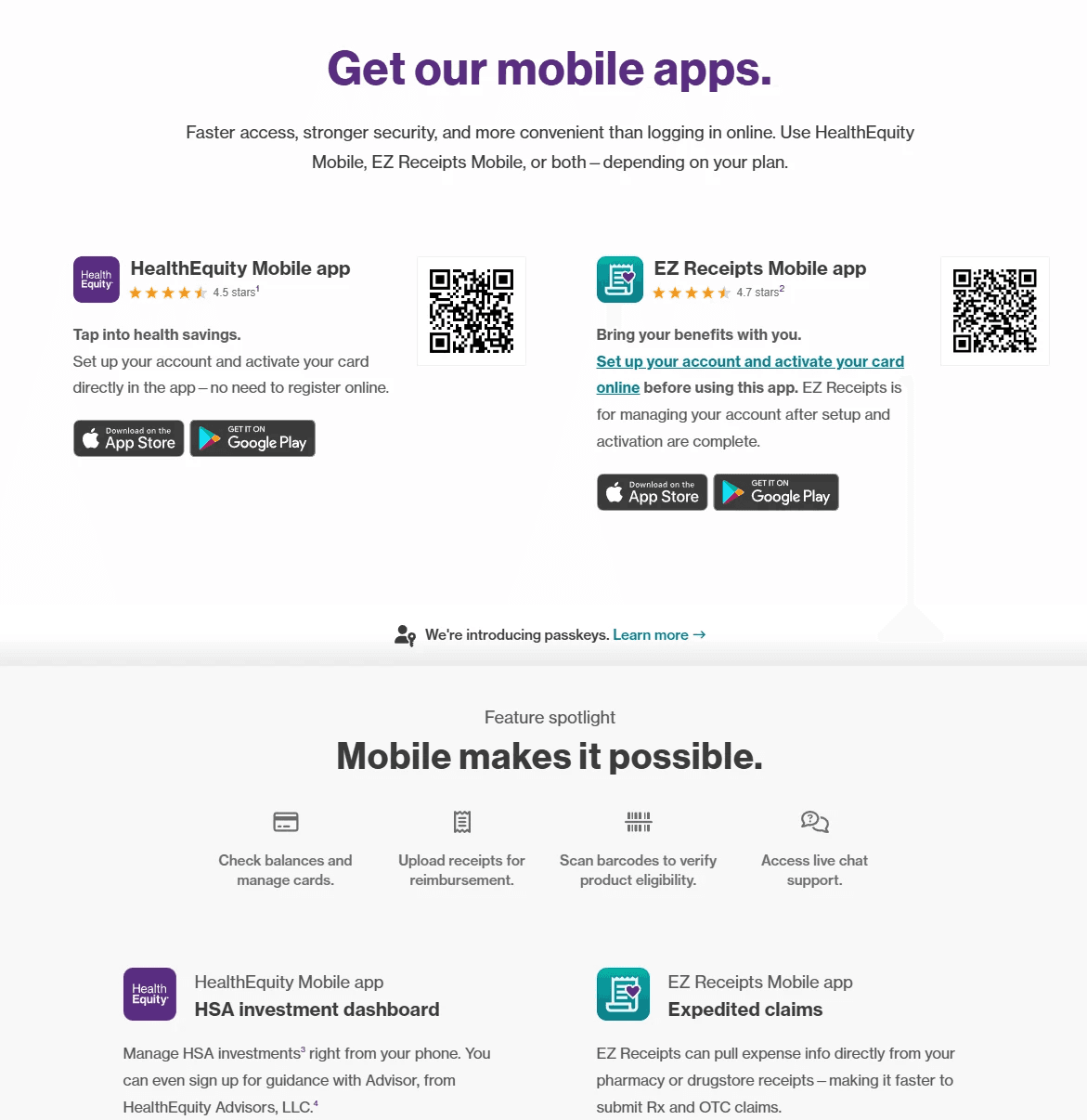
Mobile app info page: Revised to clarify which app supported which login and setup experience.
Across all three touchpoints, the goal was to communicate that separate experiences existed, help users identify the right one, and keep the language concise enough to avoid adding more confusion.
Clarifying the Account Paths
I redesigned the key moments where users had to choose between the primary and rebranded account experiences.
1
Login Dropdown
User question: “Where do I log in?”
Design role: Route returning users to the correct account experience.
2
Account Center
User question: “Where do I set up my account?”
Design role: Guide users before they choose between similar setup paths.
Account Center
3
Mobile App Page
User question: “Which app supports my account?”
Design role: Reduce app confusion after setup options changed.
Mobile App Page
Testing Approach: Benchmark, Iterate, Retest
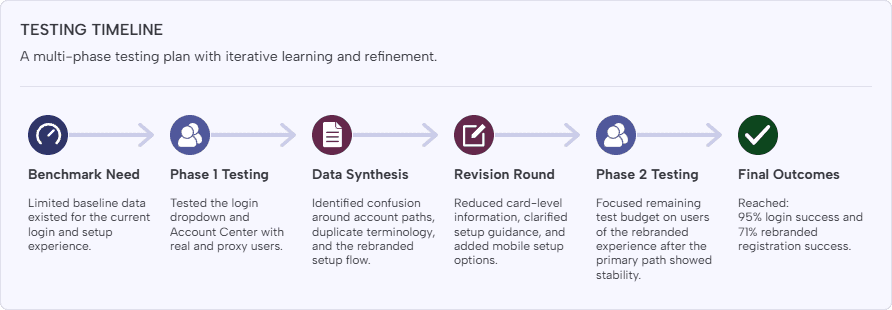
Because there was limited data on the existing login experience, I used unmoderated UserTesting studies to establish a benchmark and evaluate whether the redesigned paths improved clarity.
Testing was split into two phases with a round of revisions in between. Where real existing members were difficult to recruit, I also tested proxy users who matched the characteristics of the target audiences. This let us continue learning despite recruiting and budget constraints.
Phase 1: The First Design Clarified the Main Failure Points
Phase 1 showed that the design was moving in the right direction, but the rebranded setup path still needed clearer guidance.
In the login dropdown test, I observed an increase in successful login for the redesigned experience, but the sample size and participant-labeling issues made the results inconclusive.
The Account Center test was more revealing. Users often assumed the main HealthEquity signup path was the correct choice, even when asked to create an account for the rebranded experience. The HealthEquity name carried strong recognition, and overlapping terms like “FSA” across both setup cards made it harder for users to distinguish between experiences.
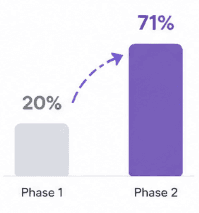
As a result, primary account setup performed well at 93% success, while rebranded account setup was only 20% successful.
KEY FINDINGS
What we learned from phase 1 of testing.
Name Recognition
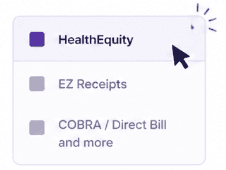
Users consistently chose the HealthEquity option, assuming it was the correct choice due to strong brand familiarity.
FSA Confusion
HealthEquity
FSA
EZ Receipts
FSA
Users were confused that "FSA" appeared in both primary and rebranded setup cards.
Login Dropdown Lift
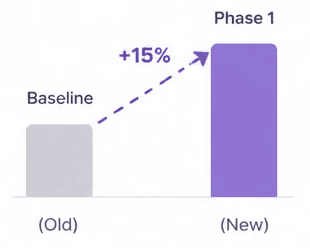
We observed around a 15% increase in successful login for the redesign, but results felt inconclusive due to small sample size of existing users we were able to recruit
Low Rebrand Success
While the primary setup path performed well, users struggled to successfully reach the rebranded setup flow.
Iteration: Reducing Information Overload
Based on Phase 1, I revised the Account Center page to make the distinction between account experiences clearer before users reached the setup cards.
Instead of placing too much account-type and setup information inside each card, I moved the essential guidance above the cards and simplified the card content. This reduced the amount of interpretation required at the moment of choice.
During this phase, the client also re-enabled mobile account setup for the affected experiences. I added mobile as a setup option on the Account Center page and revised the mobile app information page, but kept those changes out of direct testing because of timeline and budget constraints.
Before & After: Clarifying the Setup Path
The redesign moved critical guidance before the moment of choice, reducing how much users had to infer from each card.
Before - Account Center
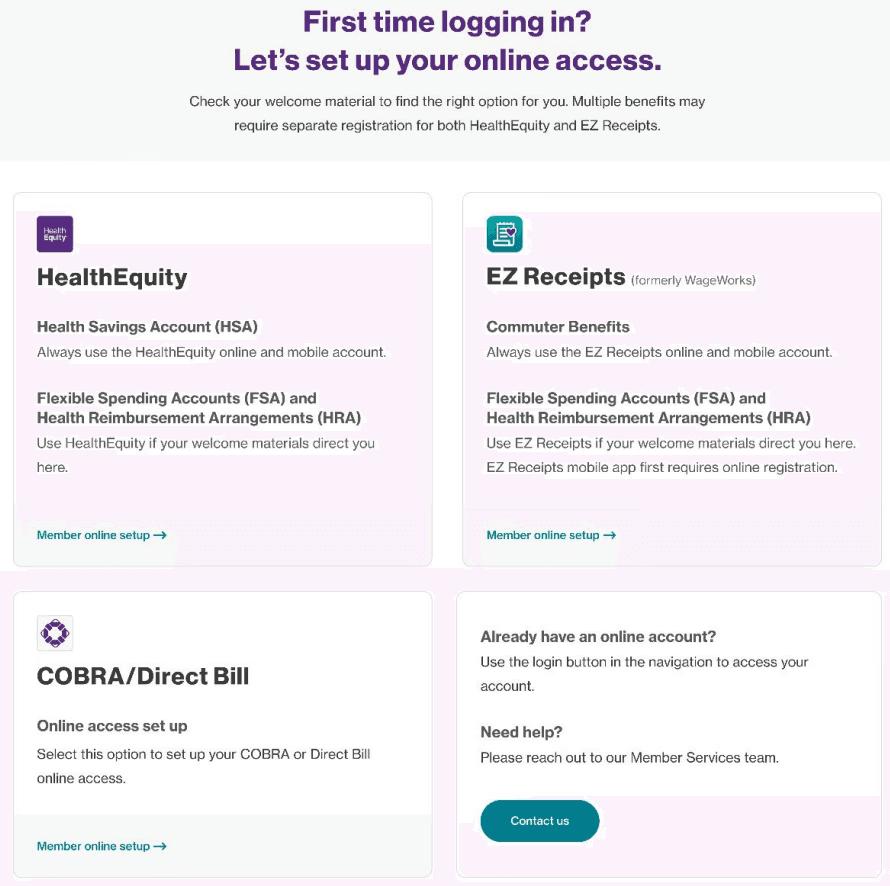
1
Dense card information
2
Duplicate account terms
3
Unclear setup path labels
After - Account Center
1
Guidance-first structure
2
Simplified card content
3
Clearer path labels
Phase 2: Clearer Guidance Improved the Rebranded Path
Phase 1 suggested that changes had minimal impact on the primary account experience, where user behavior and name recognition were already established. With limited remaining testing budget, stakeholders agreed to focus Phase 2 on the rebranded experience.
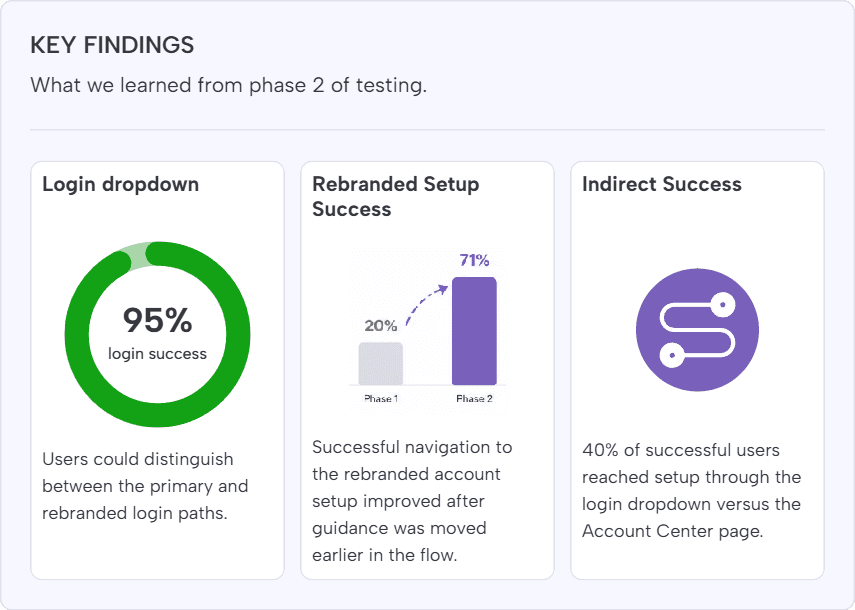
The revised login dropdown reached a 95% task success rate, and users were able to distinguish between the primary and rebranded login paths.
The revised Account Center page also improved rebranded account setup, increasing successful navigation to 71%. Of the successful participants, 40% reached registration indirectly by first navigating through the rebranded login portal and then selecting a registration link, which showed that the broader ecosystem still needed to support multiple valid paths.
Conclusion
By the end of the project, we met the primary goal: incorporate clearer paths for the rebranded account experience while minimizing disruption for users of the primary HealthEquity experience.
The biggest lesson was the importance of alignment and prioritization. The problem space was broad, technically constrained, and stakeholder-heavy, so workshops, documentation, and regular check-ins were critical for keeping the work focused.
If I were continuing the project, I would prioritize larger sample sizes, deeper testing of mobile setup paths, and additional refinement around indirect registration flows, since a meaningful portion of successful users still reached setup through the login path rather than the Account Center page.
Enter password to view case study
© Tomiya Jones - 2026
in